端末のログを見る

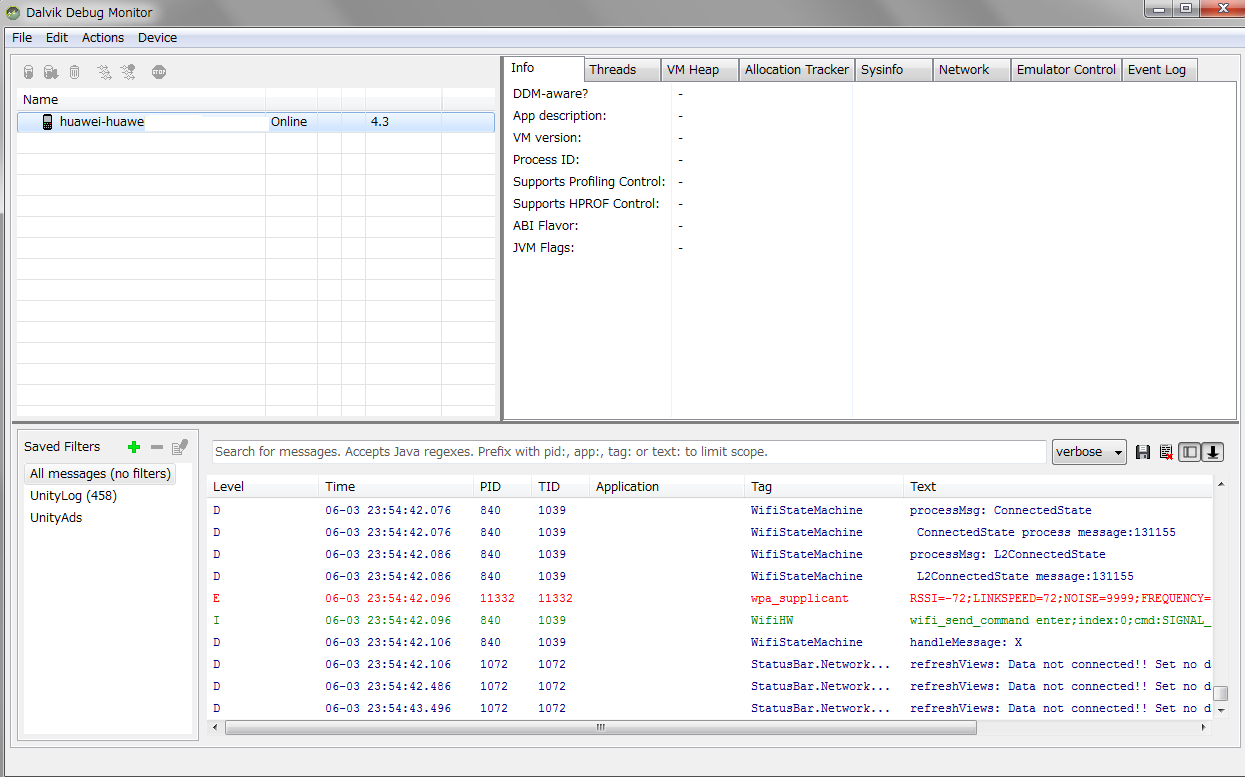
DDMS(Dalvik Debug Monitor Server) を使うとログが見れます。

端末での実行時に起こったことが見れるので、特にエラーが出ていないかを調べるときに重宝します。

Android SDK をインストールしてSDK Manager からいくつかのツールが落とせますが、その中の一つです。たぶんAndroid SDK Tools を入れておけばDDMS が使えたと思います。

Android SDK をインストールしたフォルダにtools というフォルダがあるはずです。その中のddms.bat をダブルクリックで実行するとDDMS が起動します。端末をUSBケーブルでつながないと情報は見れませんので、それだけ注意してください。

実行画面は次のような見た目です。
コメント

This website stores cookies on your computer. These cookies are used to provide a more personalized experience and to track your whereabouts around our website in compliance with the European General Data Protection Regulation. If you decide to to opt-out of any future tracking, a cookie will be setup in your browser to remember this choice for one year.

Accept or Deny

タイトルとURLをコピーしました